
Play a Thumb War Game Online, or Pass One Phone
Want a thumb war game you can actually play in the browser, with no download and no account? My MP Games puts a real 1v1 duel on a small table: you drag your thumb, press when you are on theirs, and hold the pin until the ring fills. First to three pins wins. Share a room code with a friend, or choose Local vs and put two thumbs on one phone. It starts in seconds on a desktop, a tablet or a phone, and the thumb you are steering moves on the same frame as your finger, so the game stays tight.
How to Play
Choose a Mode
Pick Create room to invite a friend, Join room if you already have a code, Local vs to share one screen, or Play vs Computer to practise pins against a bot. In Local vs the left half of the table is Player 1 and the right half is Player 2, and the board tracks two touches at once.
Steer and Press
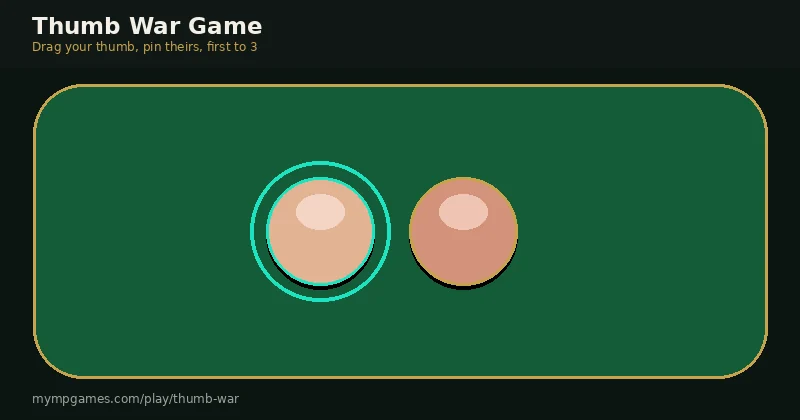
Drag on the table to move your thumb. Hold the press (keep your finger down, or hold Space / Enter on a keyboard) when you are overlapping the other thumb. A pin meter fills around your thumb. If they wriggle free or press back at the same time, the meter drops. When the ring is full, you take the round.
Win the Match
Each clean pin is one round. First to three wins the thumb war. After a pin the thumbs reset to their sides, then the next round starts. You can rematch from the same room without a new code.
Rules
- Two players, one thumb each, on a shared table.
- Move your thumb by dragging (or WASD for Player 1, arrow keys for Player 2).
- A press while you overlap their thumb fills your pin meter.
- If both of you press at once, neither pin grows — it is a contest, not a mash race.
- If contact breaks, the meter fades quickly.
- A full pin scores one round. First to 3 rounds wins.
- Thumbs stay on the table; they cannot be pushed off the felt.
Controls
Touch and Mouse
Drag on the felt to move, and keep the pointer down to press. In Local vs, use two thumbs at once, one on each half of the table. Your own thumb is drawn on the same frame as the drag, so a match on one phone should feel instant, not laggy or rubbery.
Keyboard
Player 1 uses W A S D to move and Space to press. Player 2 uses the arrow keys and Enter. In an online room, WASD, the arrows and Space all steer your own thumb.
Game Modes
Online With Friends (Room Code)
Create a room, share the five-character code or invite link, and play with a friend in real time. Each of you steers your own thumb. The server keeps the official pin, and your screen interpolates the other thumb so it glides instead of jumping.
Local 2 Player on One Device
Choose Local vs to play on a single phone, tablet or computer. Sit side by side, agree who has the left half, and wrestle. Two pointers are tracked at once, so you do not have to take turns.
vs Computer
Play vs Computer to practise against a bot that will chase your thumb and try to pin you. It is a good way to learn how long a pin takes before you invite a friend.
Tips and Strategy
- Place, then press. A press in empty space does nothing. Get on their thumb first.
- Approach from an angle. A straight rush is easy to slip past. Come in slightly wide.
- Do not panic-press when they press too. A double press is a stalemate. Ease off, slide, and come back.
- Hold the last beat. The ring is almost full when a wriggle feels biggest. Keep the press down.
- In Local vs, keep to your half until you meet in the middle. Crossing early just tangles the two touches.
From a Classroom Rhyme to a Browser Duel
“One, two, three, four, I declare a thumb war” is a playground rhyme in a lot of English-speaking countries, usually settled on a desk or a sofa, thumbs locked, until one player pins the other. This table keeps that idea — two thumbs, a pin, a short match — without pretending a rope-tug is the same game. The old /play/thumb-war address used to open a mash-to-pull variant of Tug of War. That URL still works, but it now opens this thumb war game: a positional duel you can play on one device or online, with the same guide and blog addresses search engines already know.
Thumb War FAQ
Can I play a thumb war game with a friend on one phone?
Yes. Choose Local vs. The left half of the table is Player 1 and the right half is Player 2, and the board tracks two touches at once.
Can I play a thumb war game online?
Yes. Create a room, share the code or invite link, and each of you steers a thumb in real time. You can also play vs the computer.
Is this the same as Tug of War?
No. The older /play/thumb-war page used to open a mash-the-rope game. This is a positional thumb war: you steer a thumb and pin your rival.
How do you score a pin?
Drag onto their thumb and keep the press down until the pin ring fills. If they slip away or press at the same time, the meter drops. First to 3 pins wins.
Does it lag or rubber-band?
Your own thumb is drawn on the same frame as your finger. The other thumb is interpolated from the server, and the official pin is decided there, so the motion should stay smooth.
Do I need an account or a download?
No. You can play thumb war free in the browser, with no download and no account.
Can I use a keyboard?
Yes. WASD and Space for Player 1, arrows and Enter for Player 2. In an online room those keys steer your own thumb.
More Quick Duels for Two
After a thumb war game, try tug of war online 2 player, a reaction time duel, Pong, Odds & Evens, or the 2 player games online hub.


