Play Rock Paper Scissors Online with Friends in Seconds
Want to settle a debate, pick who goes first, or just play a quick mind game? On My MP Games you can play rock paper scissors online with friends for free, right in your browser. Create a room, send the five-character code or the invite link, and your friend joins from their own phone, tablet or computer. There is nothing to download and no account to make. In an online room each player locks in a throw, and the throws stay hidden until both are in. They are then shown together, so neither player can answer after seeing the other throw. First to three round wins takes the match.
Nobody free right now? Play the computer for a random opponent, send a duel invite to someone in the arena, or choose Local vs so two people can use one device. The lobby offers Create room, Join room, Play vs Computer and Local vs, with no login wall.
How to Play Rock Paper Scissors Online
Start a room and share the code
Choose Create room. You get a five-character room code under Invite a friend, plus Copy code and Copy invite link. Send either one. Your friend opens the link, or presses Join room and types the code. The join box accepts a typed code or a pasted link. When both players press Ready, the host presses Start match. The other player sees Waiting for host to start until that happens. A gamer tag is optional.
The host can turn on Lock room so nobody else takes a seat, and can turn Auto-approve joiners off so each arrival waits for Approve or Deny. The room can stay Public, so it can be found to watch, or Private. A spectator sees Spectating — read-only and cannot lock in a throw. Room chat is on the page, with quick emoji reactions.
Lock in your throw
Each round, pick Rock, Paper or Scissors. Once you lock it in, that round's throw cannot be changed: the buttons disable, and a second pick from the same seat is refused. Online, you can see that your opponent has picked, but not which throw. The status line says Opponent is ready — pick! while you are still choosing, or Waiting for opponent… after you have locked in. The server keeps both throws hidden until both are locked, then reveals them at the same moment. That is stricter than calling the throws out loud, where one person can answer a moment later.
Win the match
Each winning throw scores one point. The first player to three round wins is the champion. A draw scores nobody, and the round number still moves on, so a match with ties runs longer than five throws. The score row shows both names, the round, and "first to 3". After the last round, the result card opens.
Online, each player presses Rematch. After you press it the button reads Ready ✓ — cancel, and the next match starts when both players have pressed it. Local vs and Play vs Computer do not use that vote. They use Restart match, which starts a fresh match on the same device.
Rock Paper Scissors Rules
What beats what
- Rock beats scissors. Rock blunts scissors.
- Scissors beat paper. Scissors cut paper.
- Paper beats rock. Paper covers rock.
Every throw beats one option and loses to the other, so no single choice is always best. The same three throws are used in every mode.
Draws and "best of" matches
If both players throw the same thing, the round is a draw and nobody scores. Many people talk about a "best of 3". Here the match is first to three wins. With no draws, that is five rounds at most, which is why the lobby blurb says best of five. Draws are not counted in that five, so ties make the match longer. The target does not change during a match, and there is no sudden-death option.
Controls (Mouse, Keyboard and Touch)
- Touch: tap Rock, Paper or Scissors to lock your throw.
- Mouse: click your throw.
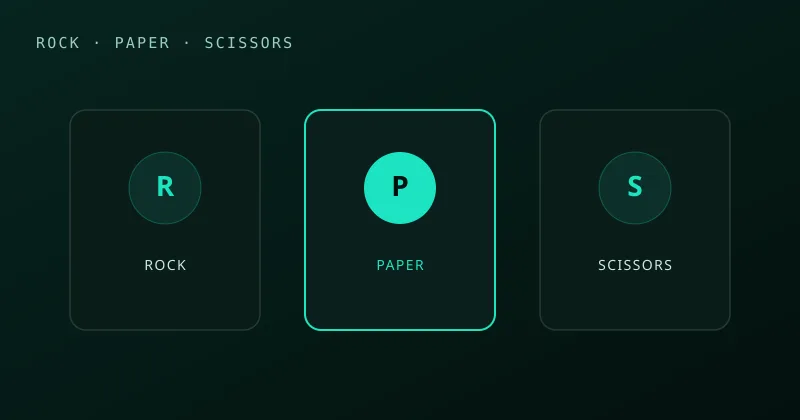
- Keyboard: Tab to a throw and press Enter or Space to lock one in. There are no letter-key shortcuts. The R, P and S marks on the buttons are labels, not keys.
The three throws sit in one row on a wide screen and wrap on a narrow one. Create room, Join room, Ready, Start match, Copy code and Copy invite link are buttons too. Escape closes the result card. Local vs does not split the keyboard into two sets of keys.
Game Modes
Online with friends (room code)
Create a room and share the code or the invite link. Each person plays on their own screen. Moves meet on the server, and the revealed round is the same on both. You can rematch as many times as you like. Phones and computers can play each other.
Challenge online players
No friend free? Open the arena list, press Challenge, and send a duel invite. The challenge card says no login is required. If they accept, you both land in a room for this game.
vs Computer
Choose Play vs Computer and the match starts at once. You are one seat and the computer is the other. Each round the computer picks rock, paper or scissors at random. There is no Easy, Medium or Hard setting, and it does not study your earlier throws. It is a quick way to learn the buttons and the scoring before you invite someone.
Local vs on one device
Choose Local vs for two players on one phone, tablet or computer. After the first player locks in, the header changes to the other player, for example "Player 2 — make your pick". That button does not stay highlighted, the throw is not named, and the line under the buttons reads "Opponent is ready — pick!" The board stays visible. There is no hand-off screen and no extra pass-the-device step. Someone watching the screen can still see which button was tapped. When the second player locks in, both throws appear together on the last-round line.
Rock Paper Scissors Strategy: How to Win More Rounds
Against a perfectly random opponent, every throw wins one time in three. The computer on this page picks at random, so it will not punish a habit. A person might, and a person might not.
- Watch for win-stay, lose-shift. Some players repeat a throw that just won, and some switch after a loss to the throw that would have beaten them. If you see that from this opponent, you can answer the throw you expect. If you do not see it, do not assume it.
- A streak is only a clue. After two of the same throw, the next one might change, or it might be the same again. There is no rule that a third repeat is rare.
- Openers vary. Some people open on rock. If this opponent has done that, paper is a reasonable reply. If you have not seen their opener, any throw is fine.
- Do not become the obvious one. Mix your throws. If you have just shown a habit, break it once in a while.
- Use the score only as memory. Late in the match, a player may return to a throw they have already used a lot. That is something you can watch for. It is not something you can count on.
One round is mostly luck. Across a match, noticing a pattern can help, and the pattern can also be a coincidence. Nobody can win every time.
History and Variants of Rock Paper Scissors
Hand games like this go back centuries in East Asia. A version called shoushiling was described in China during the Ming dynasty. In Japan, jan-ken became the form most people know today, with rock, paper and scissors hand shapes. From Japan it spread widely in the 20th century. It goes by many names: roshambo, ro-sham-bo, scissors paper stone, and rock paper scissors shoot.
Popular variants add more throws. Rock Paper Scissors Lizard Spock, known from The Big Bang Theory, uses five throws so the same choice comes up less often. You can play rock paper scissors lizard spock online. Other quick pick games on this site are Odds & Evens hand game, higher or lower 2 player game, tic tac toe 2 player online, and reaction duel with friends. Each one uses the same room, Local vs and Play vs Computer lobby.
Rock Paper Scissors FAQ
Can you play rock paper scissors online with friends?
Yes. Press Create room, share the room code or invite link, and your friend joins from any device. It's free, with no download or sign-up.
How do you play rock paper scissors online?
Both players lock in rock, paper or scissors. Online, the throws stay hidden until both are in, then they are revealed together. Rock beats scissors, scissors beat paper and paper beats rock. First to three round wins takes the match.
Can my opponent see my choice first?
In an online room, no. The server keeps both picks hidden until both players have locked in, so neither player can react to the other's throw. On one shared device, Local vs changes the header to the other player and does not leave the first throw highlighted or named, but anyone watching that screen can still see which button was tapped. There is no hand-off screen.
How do you win rock paper scissors every time?
Nobody can win every time. If you notice a habit, such as repeating a throw that just won or switching after a loss, you can try to answer it. A streak of the same throw is only a clue: the next one might change, or it might not. Stay unpredictable yourself.
Is rock paper scissors luck or skill?
A single round is mostly luck. Over a match against a person, noticing a pattern can help, but it is not a guarantee.
How many rounds is a match, and is it best of 3?
A match is first to three round wins. Draws don't count, so it works like a best of five and can run longer when there are ties.
Is there a version with more options?
Yes. Rock Paper Scissors Lizard Spock adds two throws for five in total. Play it free on My MP Games.