
GUIDE #143
How to Play Mastermind Online
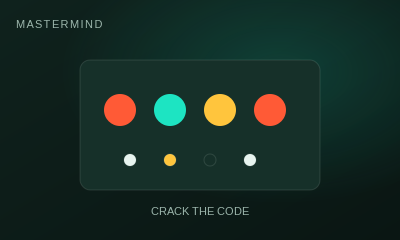
Mastermind is the classic code-breaking game: one player sets a secret row of 4 colours from a palette of 6, and the other player has 10 guesses, scored with black and white pegs.
01 // CONTROLS
Controls
- Tap or click a colour, then a peg
- Keys 1–6 pick a colour, arrows move, Enter locks a row, Backspace clears a peg
02 // STEPS
Step by step
- 01
Open the game
From the arena roster, open this game’s play page.
- 02
Create or join a room
Host creates a room and shares the code. The second player joins with that code.
- 03
Both hit Ready
When two players lock in, the match starts instantly — no accounts needed.
- 04
Set the code
The setter picks 4 colours. Duplicates are allowed. In Local vs, the guesser should look away until the code is locked.
- 05
Guess a row
The guesser fills a row of 4 and submits it.
- 06
Read the pegs
A black peg is right colour and right place. A white peg is right colour, wrong place. The same secret peg cannot score both.
- 07
Win the code
Four black pegs wins for the guesser. If the 10th guess is wrong, the setter wins. In a two-player match you can swap roles and play another code.
03 // EDGE
Pro tips
- Open with two colours (for example two reds and two oranges) to learn which colours are in the secret.
- Never play a guess that disagrees with earlier black and white counts.
- Remember duplicates: two reds in a guess only score as many pegs as there are reds in the secret.
04 // FAQ
Mastermind FAQ
Is Mastermind free to play in the browser?
Yes. Mastermind on My MP Games is free HTML5 — no download, no account, and no paywall.
Can I play Mastermind vs the computer?
Open the play page and choose Play vs Computer. You can also play Local vs on one device or share a room code with a friend.
Where are the Mastermind rules?
Mastermind is the classic code-breaking game: one player sets a secret row of 4 colours from a palette of 6, and the other player has 10 guesses, scored with black and white pegs.