
GUIDE #216
How to Play Islamic Quiz Online
Islamic Quiz is a head-to-head quiz. Both players answer the same multiple-choice questions. First to 6 correct answers (or best score when questions run out) wins.
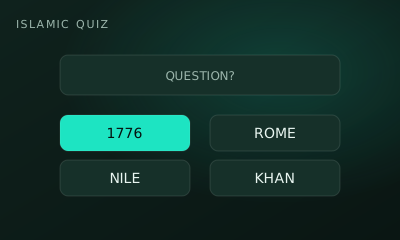
01 // CONTROLS
Controls
- Tap the answer choice you believe is correct
- Both answer the same question each round
02 // STEPS
Step by step
- 01
Open the game
From the arena roster, open this game’s play page.
- 02
Create or join a room
Host creates a room and shares the code. The second player joins with that code.
- 03
Both hit Ready
When two players lock in, the match starts instantly — no accounts needed.
- 04
Read the question
Each round shows one multiple-choice question to both players.
- 05
Lock an answer
Select a choice. You can only answer once per question.
- 06
Score correct picks
Correct answers award a point. Wrong answers don’t.
- 07
Race to 6
First to 6 points wins — or highest score when the question set ends.
03 // EDGE
Pro tips
- Answer carefully — speed only matters if the UI races; accuracy wins.
- Eliminate wrong choices first.
04 // FAQ
Islamic Quiz FAQ
Is Islamic Quiz free to play in the browser?
Yes. Islamic Quiz on My MP Games is free HTML5 — no download, no account, and no paywall.
Can I play Islamic Quiz vs the computer?
Open the play page and choose Play vs Computer. You can also play Local vs on one device or share a room code with a friend.
Where are the Islamic Quiz rules?
Islamic Quiz is a head-to-head quiz. Both players answer the same multiple-choice questions. First to 6 correct answers (or best score when questions run out) wins.