
GUIDE #249
How to Play Blockade Online
Blockade online, free: take turns claiming empty cells on a 5×5 grid, and whoever holds the most cells when the board fills wins. Play Blockade online with a friend or vs Computer.
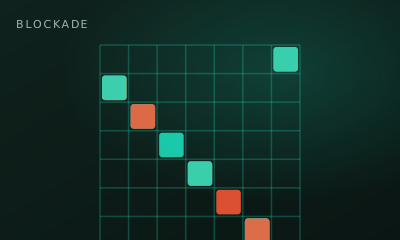
Blockade is a territory claim on a 5×5 grid. Take turns claiming empty cells — most cells when the board fills wins.
01 // CONTROLS
Controls
- Click an empty cell to claim it
- Blocked cells cannot be taken
02 // STEPS
Step by step
- 01
Open the game
From the arena roster, open this game’s play page.
- 02
Create or join a room
Host creates a room and shares the code. The second player joins with that code.
- 03
Both hit Ready
When two players lock in, the match starts instantly — no accounts needed.
- 04
Claim a cell
On your turn, click any empty square on the 5×5 board.
- 05
Fill the board
Players alternate until every claimable cell is owned.
- 06
Majority wins
Highest cell count wins. Equal counts are a draw.
03 // EDGE
Pro tips
- Early corner and edge grabs can matter on small boards.
- Don’t mirror blindly — break symmetry when behind.
04 // FAQ
Blockade FAQ
Is Blockade free to play in the browser?
Yes. Blockade on My MP Games is free HTML5 — no download, no account, and no paywall.
Can I play Blockade vs the computer?
Open the play page and choose Play vs Computer. You can also play Local vs on one device or share a room code with a friend.
Where are the Blockade rules?
Blockade is a territory claim on a 5×5 grid. Take turns claiming empty cells — most cells when the board fills wins.